The Login Tax You Pay Every Day
A client emails asking for a project update. You open your project management tool to check the status. Then you open your CRM to see what stage they are at. Then you log into your email to find the last conversation. Then your invoicing tool to confirm they have paid. Then your calendar to verify the next meeting.
Five logins. One question.
This is the “login tax” that most small business owners and their teams pay dozens of times a day. Each login takes 10–30 seconds, but the real cost is the context switching. Every time you jump between tools, you lose your train of thought. You spend mental energy remembering which tool holds which piece of information. Over a day, that adds up to a surprisingly large chunk of lost time and focus.
The problem is not that you have too many tools. It is that your tools do not share information with each other in a way that gives you a single, unified view. You end up being the human connector between systems, and that is a terrible use of your time.
Why Scattered Tools Create Invisible Overhead
On paper, having separate tools for CRM, projects, email, invoicing, and calendar looks organised. Each tool serves a specific purpose, and each one does its job well. The problem is that your clients and projects do not live in one tool. They move across all of them.
Think about a typical client journey. They start as a lead in your CRM. They become a booking in your calendar tool. They turn into a project in your project management system. They generate invoices in your accounting tool. They receive emails from your email platform. Along the way, their status changes across all of these systems, but your tools do not talk to each other.
This means every time you need a complete picture of a client, you have to manually gather data from multiple places. That takes time. It also introduces risk: if you forget to check one tool, you might miss something important, like an overdue invoice or a pending task.
- Context switching costs: Each tool switch costs 10–20 minutes of lost focus per hour (studies show it takes 23 minutes to fully refocus after interruption).
- Information gaps: You check the CRM but not the project tool → you miss that a deliverable is late.
- Duplicate work: You update the contact details in three different systems instead of updating once.
- Delayed decisions: You wait for a report because someone has to export and merge data from 4 tools.
In my view, the login tax is the most underestimated cost in a small business tech stack. It does not show up on any invoice, but it quietly consumes hours of productive time every week. And unlike software subscription costs, it gets worse as you grow, because more clients mean more switching between the same disconnected tools.
What a Simple Dashboard Actually Does
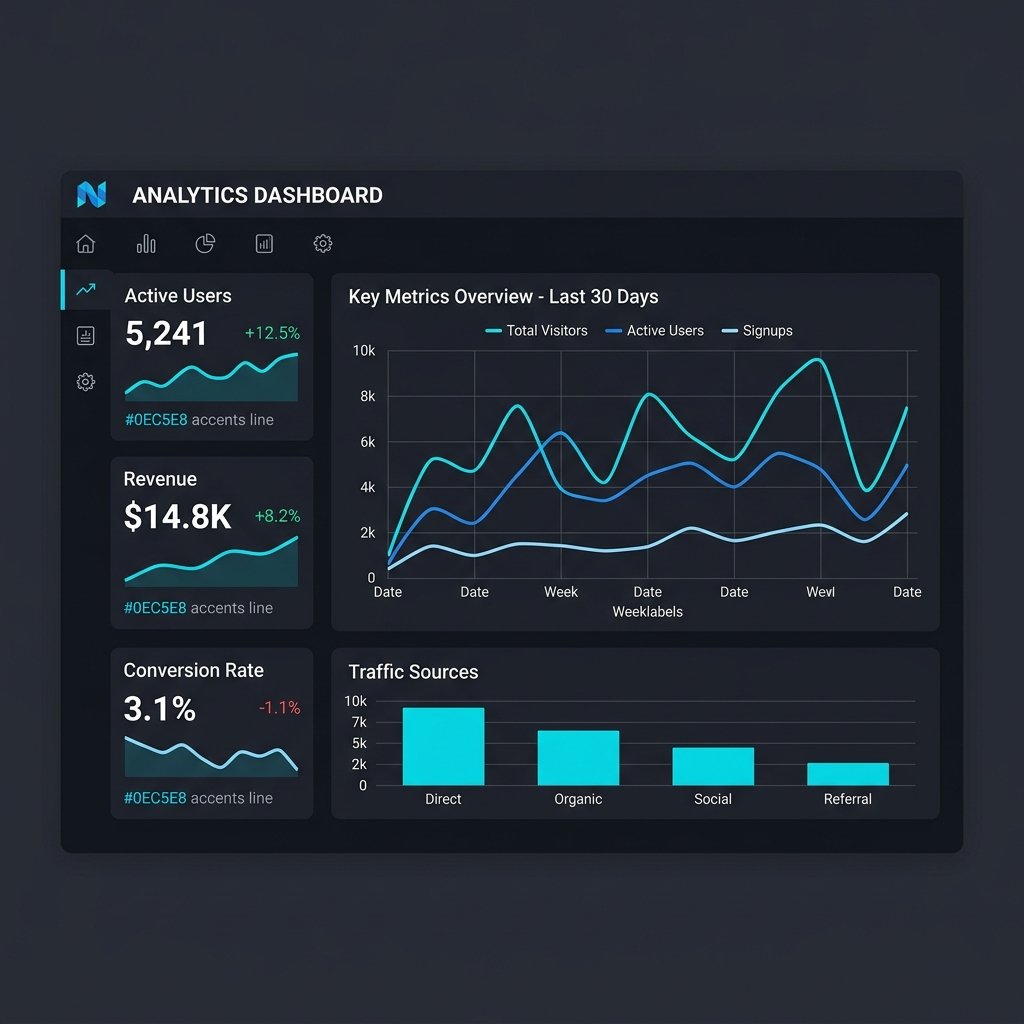
A simple dashboard is not a new tool that replaces your existing ones. It is a unified view that pulls key data from all your tools into one screen. You log in once, and you see: new enquiries today, upcoming bookings, open proposals, active projects, outstanding invoices, and recent client emails.
Under the hood, the dashboard connects to each tool through the same secure APIs described in our earlier articles. It reads data from your CRM, project tool, calendar, invoicing system, and email platform, then displays the most relevant information in one place. It does not replace any of those tools. It just removes the need to visit each one separately for a status check.
Here is a concrete example of what a service business dashboard might show:
- Today’s snapshot: 3 new enquiries, 2 booked calls, 1 proposal awaiting signature, 1 invoice overdue.
- Active projects: 5 projects in progress, with next milestone dates and a simple status indicator (on track, at risk, overdue).
- Recent activity: A feed of the last 10 client interactions across email, calls, and portal updates, so you see the full history without toggling tools.
- Quick actions: One-click links to send a proposal, book a meeting, or mark a task complete — all from the same screen.
The goal is not to build a complex data warehouse. It is to give you and your team a single place to check what needs attention right now, without logging into five different systems before breakfast.
How to Build a Dashboard Without Hiring a Developer
You do not need custom code or a big budget to get a unified view of your business. Here is a practical approach using tools that most small businesses already have or can add at low cost:
First, pick your central data source. For most service businesses, the CRM is the best hub because it already holds contacts, deals, and activity history. Your dashboard should start with CRM data and pull in information from other tools from there.
Second, identify the data points that matter most for your daily operations. Do not try to show everything. Pick 5–8 key metrics or lists that you check at least once a day. For most businesses, that is: new leads, upcoming appointments, open deals, active projects, outstanding invoices, and recent client communications.
Third, connect your tools. If your CRM supports embedded views or API connections, you can display calendar events, project status, and invoice data directly on a CRM dashboard. Tools like HubSpot, Pipedrive, and Zoho have built-in dashboard features that can pull from connected apps. If your CRM does not support this, use a lightweight dashboard tool like Google Data Studio, Airtable, or Databox to pull data from multiple sources into one view.
Fourth, keep it simple and update it weekly. A dashboard is only useful if it is accurate and focused. Review what is shown every few weeks and remove anything you do not actually use. The best dashboard is the one you actually check, not the one with the most charts.
The Real Return on a Unified View
The obvious saving is time. If you currently log into 5 tools 10 times a day, and each login takes 20 seconds, that is nearly 3 hours a month just in login overhead. Cut that to one dashboard login, and you save over 2 hours a month per person.
But the bigger return is faster decisions. When you can see that a high-value client has an open proposal, an upcoming meeting, and an overdue invoice all on one screen, you know exactly what needs to happen next. You do not have to piece the story together from scattered tools. You act immediately.
There is also a team benefit. When everyone looks at the same dashboard, everyone sees the same priorities. No more “I thought you were handling that” moments. No more duplicated work because two people updated different records in different tools. A shared view creates shared accountability.
In my view, the biggest return is less obvious: peace of mind. When you have a dashboard that shows you the truth about your business at a glance, you stop worrying about what you might be missing. You stop that low-level anxiety of wondering whether a lead fell through the cracks or an invoice went unpaid. The dashboard does not solve every problem, but it removes the fear of the unknown, and that alone is worth the setup time.
From Login Tax to Live Visibility
Your tools should work for you, not the other way around. Right now, your scattered setup is creating a login tax that costs you hours every week in context switching and information gathering. A simple, connected dashboard changes that.
You keep all your existing tools. You just stop living inside them. Instead, you start your day in one place that shows you what matters, then dive into the specific tool only when you need to take action. That shift — from reactive tool-hopping to proactive dashboard-first — is what frees up real time for the work that actually grows your business.
If you are tired of logging into 5 tools to answer one client question, the next step is a simple integration session. Grow Smart Online can map your current tools, identify the key data points you need in one view, and build a lightweight dashboard that connects your CRM, calendar, projects, and invoicing into a single screen. You stop being the human glue between your tools, and your team gets back hours of focused work every week.