The Hidden Cost of Disconnected Tools
The real drain on your week is not “too few leads.” It is the invisible time leak between disconnected tools instead of one connected business system. Every time you copy an enquiry from your website into your CRM, chase a payment manually, or rebuild the same email for a new client, you lose minutes. Those minutes quietly stack into 10–20 hours of manual admin that never shows on a timesheet, but always shows in late nights and stalled projects.
This is the hidden tax of a business that still runs on copy-paste. Leads come in → details sit in inboxes → quotes live in documents → payments sit in another system → follow-ups get forgotten. Nothing is technically “broken,” but nothing flows. That’s why your business still feels so manual even when you have “all the right tools.”
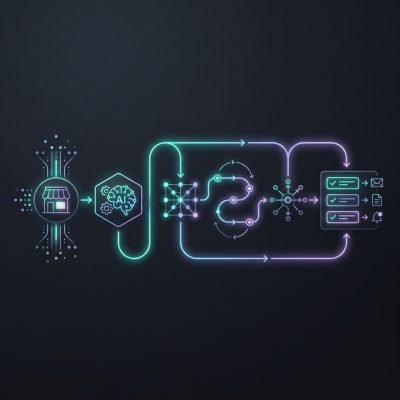
A connected business system changes the shape of your week, not just your tech stack. One action triggers the next automatically: a form submission becomes a CRM record, a booking, an invoice, and a follow-up sequence without you touching it. The impact is simple:
- Less time hunting for information → more time on delivery and sales.
- Fewer missed follow-ups → more revenue from leads you already have.
- Cleaner data in one place → faster decisions and clearer priorities.
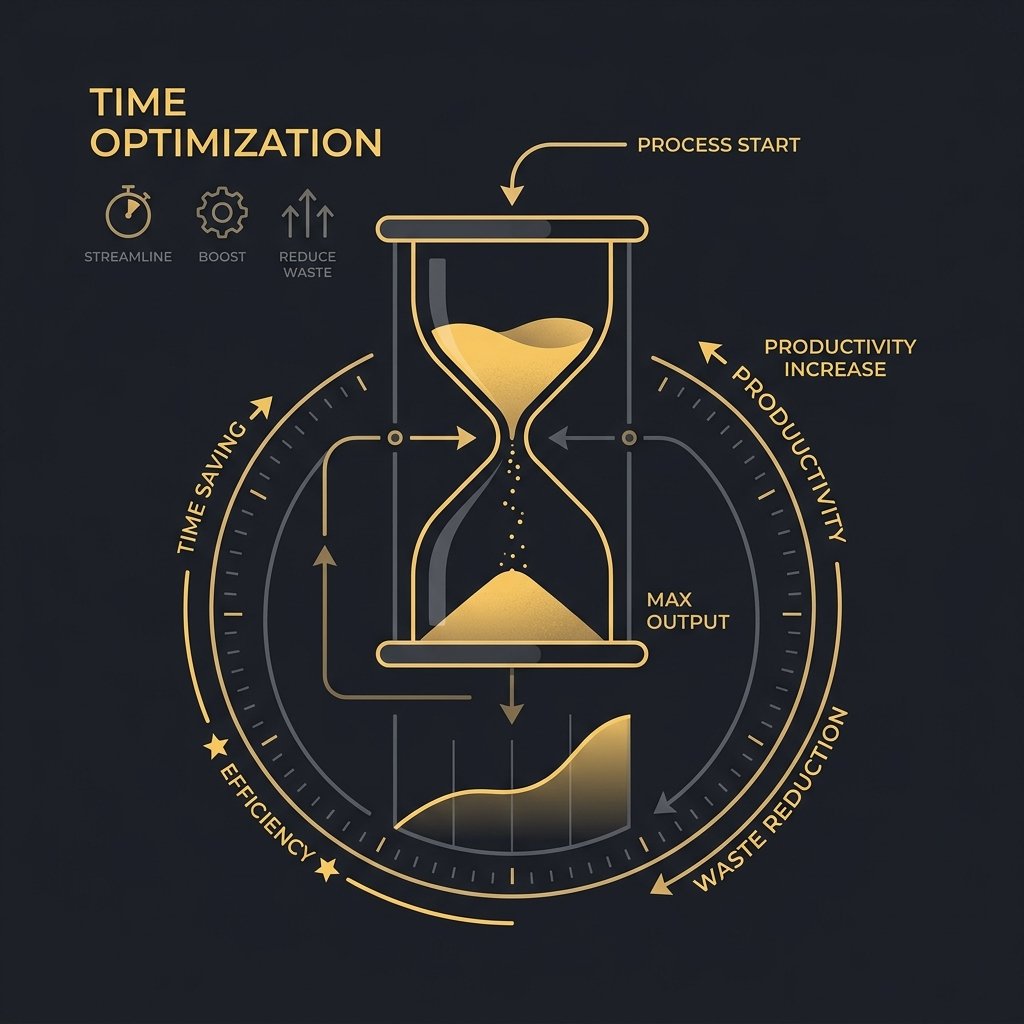
The principle is this: hours are not lost in big chunks, they leak through small gaps between unconnected tools. Close those gaps with an integrated workflow and saving 20+ hours a week stops being a stretch goal and becomes a structural outcome of how your business runs.
Why Your Scattered Tech Stack Is the Real Problem
Once you see that the leaks live in the gaps, it becomes easier to spot where your current setup is holding you back: it’s not each individual app, it’s the way they don’t talk to each other.
Your tools look fine on their own. The problem is the gaps between them. Your website captures an enquiry, but your CRM doesn’t always get the full detail. Your bookings tool confirms a meeting, but your email system doesn’t know that contact is now “booked” and ready for a different message.
Each gap creates manual work. You copy details from a web form into the CRM. You check the bookings calendar before sending a quote. You log into your payments system to see who actually paid, then update their status by hand. None of this is complex on its own, but together it becomes a hidden part-time job.
- Website form → not reliably creating or updating CRM records → duplicate contacts and lost history
- CRM → not linked to bookings → no clear view of who is just interested vs who has actually booked
- Bookings → not talking to payments → you chase people who already paid and miss those who haven’t
- Payments → not feeding email lists → buyers still get “new enquiry” emails instead of client content
The deeper issue is that your workflow is broken into separate systems with no shared logic. Status changes in one place don’t trigger anything in the others. That’s why you’re always chasing and checking: “Did they fill the form?”, “Is it in the CRM?”, “Did they book?”, “Did they pay?”, “Did they get the right email?”
The real cost isn’t just time. It’s the decisions you can’t make because your data is scattered. You can’t see a clean journey from first website visit to paid work. Without that, it’s hard to scale, because every extra enquiry means more copying, more chasing, more checking instead of an automated workflow doing that work for you.
The Compounding Cost in Time, Stress and Revenue
When you add up all those gaps, the impact is bigger than a bit of extra admin—it changes how you and your team work, decide and sell.
Your current setup looks “fine” day to day. Every disconnected tool, though, adds drag. A manual export here. A copy-paste there. A “where did that enquiry go?” moment. None of these feel big on their own, yet together they quietly consume 20+ hours a week of you or your team.
The real cost is the compounding effect. Every extra login, every duplicated field, every manual report forces a micro-decision. Do it now, do it later, or skip it. That decision fatigue is why follow-ups slip and why you avoid looking at your data until month-end. This is where most small teams lose their edge: not in big mistakes, but in a thousand tiny hesitations.
Those frictions show up as:
- Lost enquiries → forms that don’t sync cleanly with your CRM, so some leads never make it into your pipeline.
- Missed follow-ups → manual reminders that rely on memory instead of an automated workflow.
- Slow decisions → sales and marketing data scattered across tools, so you guess instead of act.
- Hidden labour costs → an extra 3–4 hours a day of admin that produces no revenue.
The big picture: a messy stack doesn’t just waste time. It changes behaviour. You start aiming lower because “we don’t have capacity.” You delay campaigns because “reporting is a pain.” Cleaning up the system is not about neatness. It is about reclaiming hours, headspace and deals that are already yours but currently leaking through the gaps.
What a Connected Business System Actually Is
To fix those leaks without throwing away tools you like, you need a different approach: a connected business system that makes everything behave as one joined-up workflow.
This kind of system replaces your tool pile with one joined-up flow. Your website, CRM, bookings, payments and email stay as separate tools, but they talk to each other through secure APIs, as described earlier. Data moves once, at the source, then updates everywhere automatically. The system acts like a central traffic controller, not another app you have to log into and manage.
Here’s the difference from “just adding another tool.” Another tool gives you another inbox, another login, another place for data to go missing. A connected business system sits underneath what you already use and links events together. One customer action on your site can trigger a full automated workflow across all tools without you touching it.
Take a simple example. A new enquiry on your website can instantly create a contact in your CRM, start a nurture email sequence, open a deal, and send you a task if they don’t book within 48 hours. A confirmed booking can update the CRM stage, issue an invoice, log the payment, and send pre-appointment information by email. No copy-paste, no re-typing, no “Did I remember to follow up?”
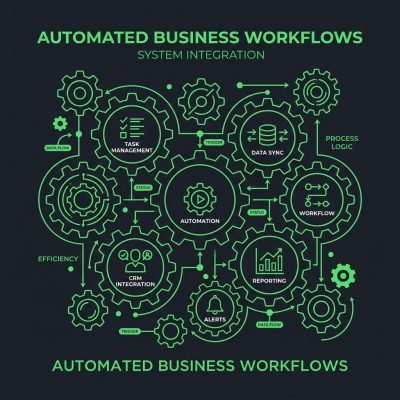
Under the hood, the system watches for key events: form submitted, booking created, payment received, email opened, deal closed. Each event triggers rules you define once. The connected business system then calls each tool’s secure APIs to read and write data in the right place, with live progress tracking so you can see what fired and when. Your work becomes “design the flow” instead of “do the steps.”
Most businesses don’t need more software; they need their existing software to behave like one system. When you connect tools properly, you remove whole categories of manual work: lost enquiries → captured and routed; missed follow-ups → scheduled and sent; messy spreadsheets → live, synced records. The real win is not the integration itself, but the mental space you get when the routine work just happens in the background.
How Secure APIs Make Automation Reliable
Behind that joined-up experience is a simple, robust mechanism: secure APIs quietly moving data between your website and the tools you already rely on, using the same connection layer described earlier.
Your website becomes the front door. Behind it, secure APIs act like sealed tunnels that connect forms, booking widgets and payment buttons to your CRM, email platform and a central client workspace. When someone enquires, books or pays, that data moves through these tunnels without anyone retyping it.
The principle is simple: one action on the site → many updates in the background. A new enquiry can create a contact in your CRM, log a deal, trigger a confirmation email and appear in a central dashboard for your team. The same pattern applies to bookings, invoices and support requests, so every client touchpoint feeds the same source of truth.
The real value is consistency. Secure APIs enforce rules about what data is sent, when it is sent and who can see it, so your workflows behave the same way every time. This is where most businesses win back time: not from “more tools”, but from a predictable system that quietly removes manual work and reduces lost enquiries and missed follow-ups.
Where the 20+ Hours Saved Per Week Actually Come From
Knowing the mechanism is helpful, but what really matters is where your week changes: which workflows stop stealing your time once they’re automated.
Those 20+ hours per week come from a few repeatable workflows that run every day. Below is a practical breakdown of where time is usually lost, and which automations replace that manual work.
-
New enquiry handling (3–5 hours/week)
Manual: A lead fills your website form. Someone checks the inbox, copies details into the CRM or spreadsheet, sends a reply, and assigns the lead. This often happens in batches, so replies are slow and errors creep in.
Automation: Use an automated enquiries workflow. The form sends data via secure APIs straight into your CRM, tags the lead (e.g., “Web design quote”), creates a deal, and sends a branded confirmation email within seconds. No inbox triage. No copy-paste. This is a simple example of small business automation that immediately reduces manual admin.
-
Follow-up automation for new leads (4–6 hours/week)
Manual: You or your team try to remember who needs a follow-up, dig through emails, write “just checking in” messages, and log notes. This usually happens late or not at all → missed follow-ups, cold leads.
Automation: Trigger a follow-up sequence when a new enquiry is created. Day 1: confirmation + intro. Day 3: case study. Day 7: “Still interested?” email. If they book a call, the sequence stops automatically. Your CRM and email tool handle this in the background as part of your broader automated workflows.
-
Call and meeting bookings (3–4 hours/week)
Manual: Back-and-forth emails to find a time. Someone updates the calendar, sends a calendar invite, and reminds the client the day before.
Automation: Add a booking link to your website and emails. When a lead books, the system writes the event to your calendar, sends confirmation, and schedules reminders by email or SMS. No manual scheduling, no reminder emails. This simple automation connects your booking system to your CRM and calendar without extra admin.
-
Proposal and quote follow-up (3–4 hours/week)
Manual: You send a proposal, then set personal reminders, search for the file, and send “Have you had a chance to review?” messages. This is easy to skip when you are busy.
Automation: When you mark a proposal as “Sent” in your CRM, a follow-up automation starts. It sends a check-in at 3 days, a reminder at 7 days, and a final “Should I close this file?” at 14 days if there’s no response. Status updates log directly to the deal, giving you a clearer sales pipeline without extra work.
-
Onboarding new clients (4–5 hours/week)
Manual: You send a welcome email, chase contracts, send payment links, request assets, and update project tools by hand. Every new client means the same checklist repeated.
Automation: When a deal moves to “Won,” an onboarding workflow runs. It sends the contract, payment link, and intake form, creates the project in your project tool, and emails a simple “What happens next” timeline. You only step in for exceptions. This kind of small business automation makes your client journey feel consistent without adding to your workload.
-
Payment and invoice reminders (2–3 hours/week)
Manual: You check who hasn’t paid, send reminder emails, and mark invoices as paid in your tools. This is admin work, not value-creating work.
Automation: Connect your payment or accounting system. When an invoice is due or overdue, automated reminders go out with a payment link. When payment arrives, status updates in your CRM and project tool without manual input. This is where a connected business system directly helps reduce manual admin around cash flow.
Start with automated enquiries and follow-up automation first. They protect the most revenue with the least setup, and they expose where your other manual steps are hiding. Once those run smoothly, layer in bookings, onboarding, and payment workflows to reach (and usually exceed) that 20+ hours saved per week.
Real-World Examples of Connected Systems in Action
This isn’t theory—small businesses in very different industries are already reclaiming evenings and weekends by connecting the tools they already own, with help from Grow Smart Online.
Here is the simple pattern we see again and again: the tools stay the same, the work changes. A local plumbing firm kept their existing booking app, accounting software and email platform. Grow Smart Online just connected them. Bookings now trigger an automated workflow: confirmation email, invoice draft, job added to a live dashboard. The owner stopped spending Sunday evenings copying bookings into three different systems.
A small training company had leads coming from the website, LinkedIn and paid ads. Before connection, the director exported CSV files from each channel, then imported them into the CRM once a week. That delay meant slow replies → cold enquiries → wasted ad spend. After the systems were linked, every enquiry landed in the CRM in real time, with live progress tracking and automatic follow-up emails. Same CRM, different outcome: higher show-up rates and fewer “just checking you got my form” calls.
A boutique retailer already used an e‑commerce platform, a payment gateway and email marketing. Nothing was “broken”, but staff were retyping online orders into a spreadsheet to track stock and customer history. By connecting those tools through secure APIs, orders now feed a single dashboard, update stock and segment customers automatically. The team still uses the tools they know; they just no longer do the computer’s job for it.
The core idea: integration removes decisions and delays. Most small businesses don’t need new software; they need their existing software to talk to each other. When that happens, manual work quietly disappears in the gaps between systems, not in a big software switch.
Addressing Concerns About Complexity and Cost
If this all sounds powerful but you’re worried it means a huge rebuild or enterprise-level budget, the good news is that a well-designed connection layer is much lighter than that.
You don’t need to rebuild your systems. A good integration sits on top of what you already use, as a thin “connection layer”. Your CRM, booking tool, payment processor and email platform stay in place. The same secure APIs pass only the data needed between them, at the right moments.
Think of it as wiring, not renovation. For example: a new enquiry on your website → creates a contact in your CRM → triggers an automated workflow in your email tool → logs a task for your team. Each tool still does its own job. The integration just removes the manual work in between. This is the practical side of website CRM integration without a full system rebuild.
On automation costs and disruption, the expensive part is usually trying to automate everything at once. Small businesses get better results by starting with 1–2 high-friction points: missed enquiries, duplicate data entry, or manual payment follow-ups. That keeps implementation focused, time-boxed, and easier to test without breaking your current processes.
Integrations are also designed to fail safely. If an API is down, your form still captures the lead; the sync runs later or flags an error. This “layered” approach means you can keep trading while you improve. You end up with a right-sized system: your existing tools, plus a simple connection layer that quietly does the admin for you.
Are You Ready for a Connected Business System?
At this point, the key question is whether your current pain points are big enough that connecting your tools will make a tangible difference this quarter.
Use this quick checklist. If you tick three or more, you’re ready for a connected business system and should prioritise those areas first.
- Inbox chaos: You copy enquiries from email into a spreadsheet or CRM by hand → connect website forms to your CRM and email tool.
- Duplicate entry: You type the same customer details into booking, invoicing and email platforms → sync contacts via secure APIs.
- Missed follow-ups: You rely on memory or sticky notes to chase quotes → trigger automated workflows from form fills or quote approvals.
- Unclear pipeline: You can’t see live progress from enquiry to payment in one place → push all key events into your CRM or project tool.
- Manual payment checks: You log into your payment provider to see who paid → connect payments to your CRM and accounting.
- Scattered bookings: You confirm dates by back-and-forth email → link your booking tool to your calendar and email sequences.
The best place to start is where the most manual work and lost enquiries happen, usually enquiry handling and follow-up, then connect payments and bookings next. As you connect your website to CRM and other tools, the benefits compound quickly.
Your Next Step with Grow Smart Online
If you can see yourself in that checklist, the next move doesn’t have to be risky or overwhelming—a simple, tailored plan is enough to show you what’s possible.
The lowest-friction next step is not a full rebuild. It’s a tailored proposal that maps your current tools into one connected, automated workflow. You share what you use now (for example: WordPress + HubSpot + Calendly + Stripe + Mailchimp). Grow Smart Online designs how data should move between them using the same secure APIs, triggers, and rules described earlier.
This proposal shows the system, not just a list of tasks. For example: web enquiry → auto-create CRM deal → assign owner → send confirmation email → add to nurture sequence → notify accounts if payment is received. You see where manual work disappears, where follow-ups become automatic, and how 20+ hours per week can realistically be saved.
If you can’t see the flow on one page, you can’t manage or improve it. Ask Grow Smart Online for a tailored proposal that includes a simple architecture diagram, key automations by tool, and live progress tracking points. Then decide: approve the setup as designed, or adjust the workflow before any build starts.