When Your Tools Quietly Run the Show
Your tools look separate. In reality, they’ve formed an invisible, connected business system that runs your business by accident. Every form, inbox, calendar, and spreadsheet is making decisions for you. What gets seen first. What gets forgotten. What never even reaches you.
This is why you feel like you’re always chasing enquiries. A lead fills out your website form → lands in email → waits behind internal messages. Someone tries to connect the website to the CRM but the calendar booking doesn’t sync properly with your CRM → you prep late or not at all. A client pays online → finance sees it → delivery doesn’t → work starts three days behind.
On paper, you have “all the tools”. In practice, you have a shadow workflow built from copy-paste, mental notes, and memory. That shadow workflow decides who gets a fast reply and who waits a week. It decides which quote gets followed up and which one quietly expires. Not because you chose it. Because your disconnected tools left gaps, and your habits filled them.
A connected business system flips this. Instead of the loudest inbox or latest notification winning, your process wins. Enquiry → captured once → routed automatically → tracked in one place. The real problem isn’t lack of software. It’s that most businesses let their tools design the process, instead of designing the process and letting tools support it with intentional, automated business workflows.
The Hidden, Compounding Cost of Disconnected Systems
The cost of disconnected systems is rarely one big disaster. It’s a slow, compounding leak. Every tool you run separately adds another place where data can be delayed, duplicated or dropped. Over a month, that drip turns into hours of manual admin and a pipeline full of blind spots.
Think about a simple enquiry. A prospect fills your website form. Someone has to copy that into your CRM, then add it to your email tool, then maybe into your bookings system. That’s three chances for delay or error. If the person who does it is off sick, that record sits in an inbox instead of in an automated workflow.
This is where the real cost shows up:
- Lost enquiries → forms submitted but never entered into the CRM, so no quote, no follow-up, no revenue
- Missed follow-ups → reminders live in someone’s head or email, not in an automated workflow
- Slow handovers → sales, delivery and accounts all rebuild the same client record in their own system
- Inaccurate reports → leaders make decisions on numbers that never match across tools
From a systems view, each unconnected tool becomes its own mini-database, with its own version of the truth. People become the “API” that moves data between them. That’s expensive, emotionally draining, and fragile. This is why teams feel constantly “behind” even when they’re working flat out.
The emotional cost is real. Staff spend their best hours on copy-paste work instead of solving client problems. Owners start to doubt their numbers because nothing lines up. The longer you run like this, the more every new client adds complexity instead of capacity. That’s the compounding effect: growth multiplies the chaos unless the system underneath is joined up with a connected business system that can reduce manual admin with automation.
Quick Self-Check: Is Tool Sprawl Running Your Business?
Use this connected business system checklist. If you say “yes” to 4 or more, you likely have tool sprawl that’s running you.
- Leads arrive in different places – some via website forms, some in your CRM, some only in email. You often ask “Where did that enquiry go?”
- Double entry is normal – you copy contact details from your booking tool into your CRM or invoice system by hand.
- No automatic next step – a booking doesn’t trigger a confirmation email, calendar event, and invoice without you doing something manually.
- Reporting is a manual project – to answer “How many enquiries became paying clients?” you export spreadsheets from 2–3 tools and merge them.
- Clients repeat themselves – they fill in details on your website, then again on your booking form, then again on a payment page.
- Follow-ups depend on memory – there’s no automated workflow from enquiry → proposal → follow-up → payment. You rely on inbox searches and notes.
- Logins slow you down – you open 4–5 tabs just to check the status of one client or deal.
- Changes don’t sync – when a client reschedules, you must update the booking tool, your calendar, and sometimes your CRM and email list.
If these feel “normal”, that’s the red flag. A healthy system makes the workflow obvious; tool sprawl makes you hold the whole process in your head instead of relying on connected, automated business workflows.
Why Buying More Tools Makes the Mess Worse
When everything feels messy, it’s tempting to blame the tools and go shopping. But adding “better” standalone tools without a plan for how they connect just creates a wider maze: more logins, more settings, more places for leads to fall through. The real problem is usually not the tool itself, but the lack of a connected business system.
Think about what happens when you bolt on a new booking app, a new email platform, and a new CRM, all chosen separately. Every new tool adds more decisions: where does this enquiry go, who updates that record, which system is the “source of truth”? That decision fatigue turns into slow responses, lost enquiries and missed follow-ups, even though you technically “have” all the right software.
You should design the flow before you touch the tools. Decide the journey: website enquiry → CRM record → automated workflow → payment → follow-up. Then choose tools that can plug into that flow via secure APIs and simple automation, instead of forcing your team to copy and paste between islands of data.
The mindset shift is this: don’t ask “What tool am I missing?” Ask “What system am I trying to build, and how should each tool support it?” When you think in systems, you need fewer tools, your team makes fewer micro-decisions, and your website, CRM, bookings, and email finally behave like one joined-up operation instead of a pile of apps. This is where smart API integration for small business becomes a competitive advantage rather than a technical headache.
What a Connected Business System Actually Looks Like
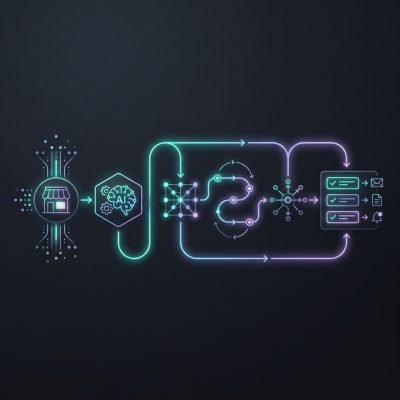
A connected business system feels like one long, predictable line instead of lots of broken dots. Someone fills out your website enquiry form. That form pushes data straight into your CRM through secure APIs, as described earlier. The CRM creates a new contact, tags the service they asked about, and triggers the next step in your automated workflow without anyone retyping a thing.
From there, the booking tool takes over. The prospect gets a link to your live calendar with only the right slots exposed. When they book, the system updates the same contact record, adds the appointment, and sends a confirmation email. Your team sees it appear in their calendar and in your pipeline view, with no Slack messages or “Did you see this?” emails.
Payments follow the same path. If you charge upfront, the booking step can collect payment via your payment processor. The transaction ID and amount are stored back against the contact and the booking. If you invoice later, your invoicing tool pulls the booking data and generates an invoice automatically. Either way, you see a clear line: enquiry → booking → payment, all in one place as a truly integrated booking and payment system.
Emails are no longer random broadcasts. The email platform reads the same central data. New enquiry? They enter a short nurture sequence. Booked but not paid? They get a payment reminder. Long-term client? They move into a different track. You are not deciding who gets what each week; the rules do that for you.
The real gain is not just “saving time”. It is removing decisions and handoffs that cause errors. When enquiries, bookings, payments and emails all move through one connected business system, your day shifts from chasing information to checking live progress tracking and handling exceptions. You log in, see what moved overnight, and act on the few items that actually need a human.
How Secure APIs Quietly Do the Heavy Lifting
Secure APIs are like pipes between your tools, but with locks on both ends. Each system agrees on what data it will send and what it will accept. Your website, CRM, bookings, payments and email all speak through these pipes using a shared “language” instead of custom hacks or one-off exports.
Here’s the key idea: every tool keeps its own job, but shares just enough data to keep the whole workflow moving. A new enquiry on your site becomes a contact in your CRM. That same contact triggers a booking link, which on confirmation updates your calendar and sends a payment request. One action → many updates → no retyping.
The “secure” part matters more than most people think. APIs control who can use the pipe, what they can see, and how often they can ask. That stops random apps, ex-suppliers, or broken integrations from flooding your systems or pulling the wrong data.
The biggest benefit of secure APIs isn’t speed. It’s stability. When systems integration is done through well-designed APIs, changes in one tool are less likely to break everything else. You get connected workflows without the constant fear that one software update will take your operations down. For many small businesses, this kind of API integration for small business is the safest way to modernise without rebuilding everything from scratch.
From Enquiry to Paid Job: One Defined, Automated Journey
Start at the enquiry form. A prospect submits your website form. The workflow creates a contact in your CRM, tags them by service (e.g. “Web Design – Ecommerce”), and sends an instant, plain-language acknowledgement. At the same time, it alerts the right person on your team in Slack or email so no enquiry sits unseen.
Next, move to qualification and booking. The workflow checks key fields: budget range, timeline, service type. If they meet your rules, it sends a link to your booking tool with only the right slots and meeting type. If they don’t qualify, it sends a polite “not a fit” or “join our waitlist” email so you’re not spending manual time on dead leads.
Once they book, the system confirms and prepares the meeting. Calendar invites go out automatically. A short pre-meeting questionnaire is sent to gather examples, logins, or brand info. Their answers are pushed back into the CRM, so you arrive to the call with context instead of chasing emails.
After the call, the workflow branches. If you mark the deal as “Proposal”, it generates a proposal draft from a template, pulls in scope and pricing based on tags, and emails it via your proposal tool. If you mark it as “Not now”, it moves them into a nurture sequence with occasional, relevant tips instead of going silent.
When they accept, the workflow handles automated bookings and payments using the same connected tools described earlier. It sends the invoice or payment link, starts a payment reminder sequence if needed, and only then unlocks the project onboarding steps. This can include a welcome email, a shared folder link, and a task list in your project tool.
During delivery, the workflow keeps communication consistent. It triggers status updates at key milestones, sends review requests after go-live, and updates your CRM stage automatically. The real value is not the automation itself, but that it forces you to define one clear path from enquiry to paid job, which removes guesswork for your team and makes every new client feel like you run a tight, reliable process.
Addressing the Big Fears About Connecting What You Already Have
You do not need to replace your current tools. The integration layer sits on top of what you already use, using the secure APIs and workflows described earlier. Your CRM, booking system, payments and email stay where they are; the architecture just lets them “talk” to each other as one connected business system.
Costs stay predictable because we phase the work. First phase: connect one or two high-impact flows, like “website enquiry → CRM → email follow-up”. Second phase: add extras such as payment triggers or internal task creation. This staged approach means you see value early and avoid a big, risky rebuild.
Data safety comes from limiting what moves, not copying everything. We map only the fields each workflow needs, set read/write permissions, and log every sync. Most risk comes from ad-hoc spreadsheets and manual exports, not from structured, audited integrations. A central integration layer actually reduces data sprawl.
Lack of in-house tech skills is handled by using standard, well-documented connectors. Under the hood, each workflow is a set of rules: “when X happens in Tool A, send Y data to Tool B”. You can see these rules in plain language and request changes without touching code. Over time, your team learns what’s possible without having to become developers.
- Keep existing tools → reduce change resistance
- Phase integrations → control costs and disruption
- Tight data rules → lower security and compliance risk
- Plain-language workflows → no in-house tech team required
Proof That Connected Systems Pay Off in the Real World
Connected business systems are not theory. They work because they remove the “copy and paste” layer that slows everything down and quietly loses revenue. When your website, CRM, bookings, payments, and email talk to each other, every enquiry can move through the same automated workflow, every time, without someone pushing it along.
Take a service firm that linked its website forms to its CRM and email tool. Before: enquiries sat in an inbox → delayed replies → prospects went cold. After: each form submission created a contact, triggered a follow-up sequence, and booked a call slot. Result: the owner stopped spending evenings chasing emails and saw more first meetings per week from the same traffic.
Another case: a training business connected online payments, bookings, and email reminders. Before: manual invoices → checking bank transfers → updating spreadsheets → sending reminder emails. After: card payment on the site → automatic booking confirmation → calendar invite → timed reminders. Outcome: fewer no-shows, smoother cash flow, and admin moved from a part-time role to a few minutes of live progress tracking.
The real gain is not just “time saved”. It is consistency. A connected business system delivers the same steps for every lead and every sale. That consistency is what turns automation from a tech upgrade into measurable growth and helps you reduce manual admin with automation across your sales pipeline and client journey.
Your First Step: Map, Don’t Rebuild
When you request a tailored proposal or book a call, the first step is a practical mapping session. We list every tool you use now: website, CRM, forms, bookings, payments, email platform, spreadsheets. Then we walk through one or two real processes, like “new enquiry to paid booking” or “website download to follow-up email.” The goal is to see where data is double-entered, where leads go missing, and where manual work slows you down.
From that, you get a simple visual map of your current system and a draft “connected business system setup” plan. It will show which tools stay, which can be linked with secure APIs, and where automated workflows remove steps. You should not replace tools that already work; you should connect them first. If you like the plan, we turn it into a fixed-scope proposal with clear phases, so you can start with the smallest, highest-impact workflow rather than a full rebuild.